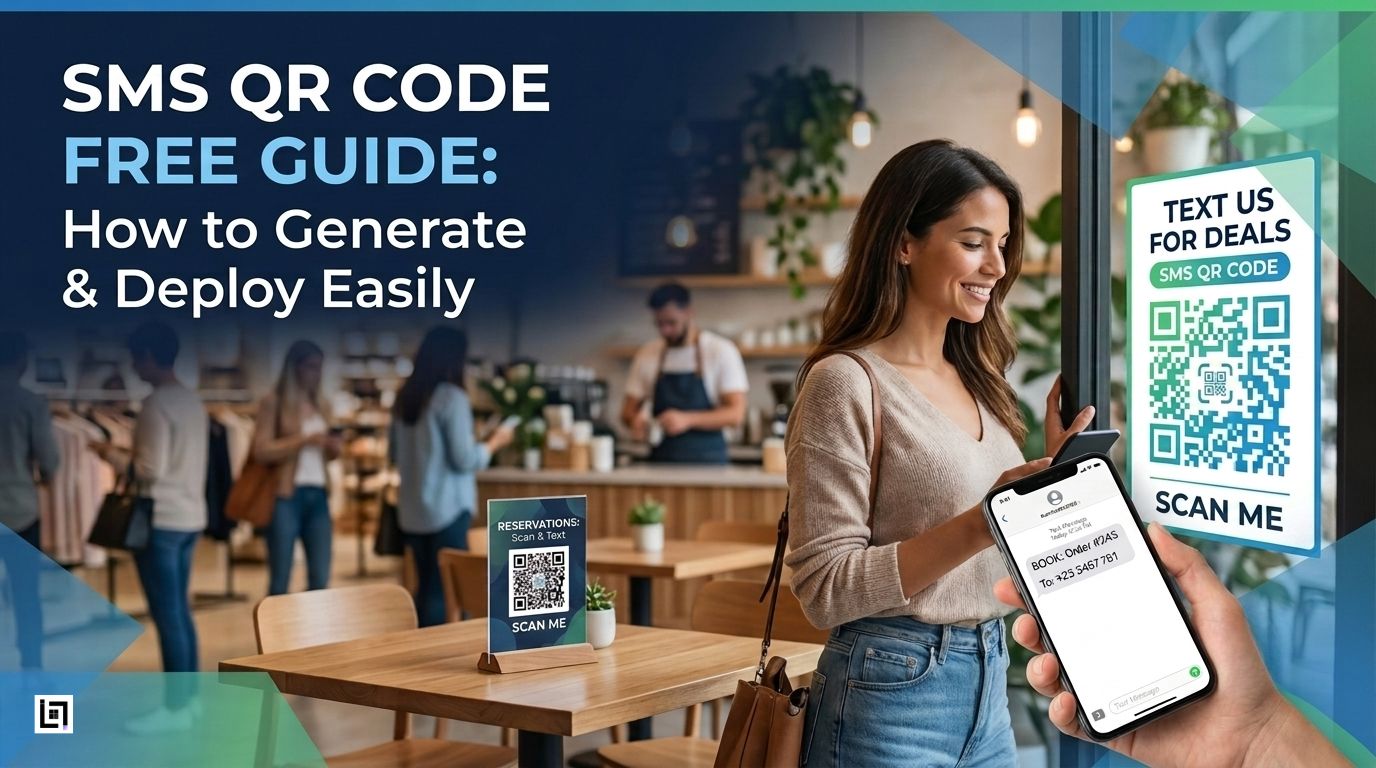

Imagine this: A customer sees your QR code, taps their phone camera, and a text message window opens with your phone number and message already filled in. They just hit send.
That’s an SMS QR code.
No typing errors. Never lose phone numbers. Enjoy a hassle-free experience. Just one simple scan, and your customers can reach you instantly.
In a mobile-first world, every extra step costs you a customer. SMS QR codes remove that friction completely.
Why SMS QR Codes Work?
- What’s more, 98% of SMS messages are read within 3 minutes (compared to 20% for email).
- Additionally, it’s 8× faster than filling out a contact form.
- Best of all, it works instantly on any smartphone, no app download required.
- As a result, it delivers higher engagement than Instagram, push notifications, or web forms.
By doing so, when you place an SMS QR code on your receipt, storefront, product packaging, or service menu, you’re giving customers the fastest possible path to contact you.
How SMS QR Codes Actually Work
Here’s what happens when someone scans your SMS QR code:
- Customer scans the QR code with their phone camera
- The phone recognizes the code as a text message link
- The text app opens automatically
- Your number and message appear pre-filled
- Customer taps send with one touch
Best of all, the entire process takes less than 2 seconds.
The code itself contains two pieces of information:
- Your business phone number (where messages go)
- A pre-written message (what appears in their text field)
Static vs. Dynamic SMS QR Codes: Which One Do You Need?
Static SMS QR Codes: Best for Most Businesses
Cost: Completely free
Best for:
- Small businesses just starting out
- Single business location
- Fixed phone numbers that won’t change
- No cost, ever
- Never expires
- Works immediately after download
- No software or dashboard needed
- Works offline and on any network
Limitations:
- Can’t change the phone number or message once printed
- No tracking or analytics data
- If your number changes, you’d need to reprint everything
What it means: The phone number and message are permanently coded directly into the QR code itself.
Dynamic QR Codes (Advanced Option)
Best for: Growing businesses, multi-location campaigns, A/B testing.
How they work: The code points to a short URL that redirects to your SMS. You control the destination on a dashboard.
Pros:
- Update the number or message anytime without reprinting
- Full analytics: scan counts, timestamps, locations
- Test different messages
- Professional tracking
Cons:
- Requires a subscription (though some tools offer free tiers)
- Recommendation: Start static and free. If you’re running campaigns across multiple locations or testing messages, upgrade to dynamic.
How to Create an SMS QR Code in 5 Simple Steps
You can create a working SMS QR code in less than 5 minutes— completely free. Here’s exactly how.
Step 1: Choose Your QR Code Generator
Pick a free QR code generator that supports SMS codes. Popular
options include:
- ScanMyQR (user-friendly, no hidden fees, customization options)
Go to your chosen generator’s website in your browser. Look for an option labeled “SMS QR Code” or “Text Message QR Code.”
Why this matters: Not all generators support SMS codes, so make sure to pick one that does.
Step 2: Enter Your Business Phone Number
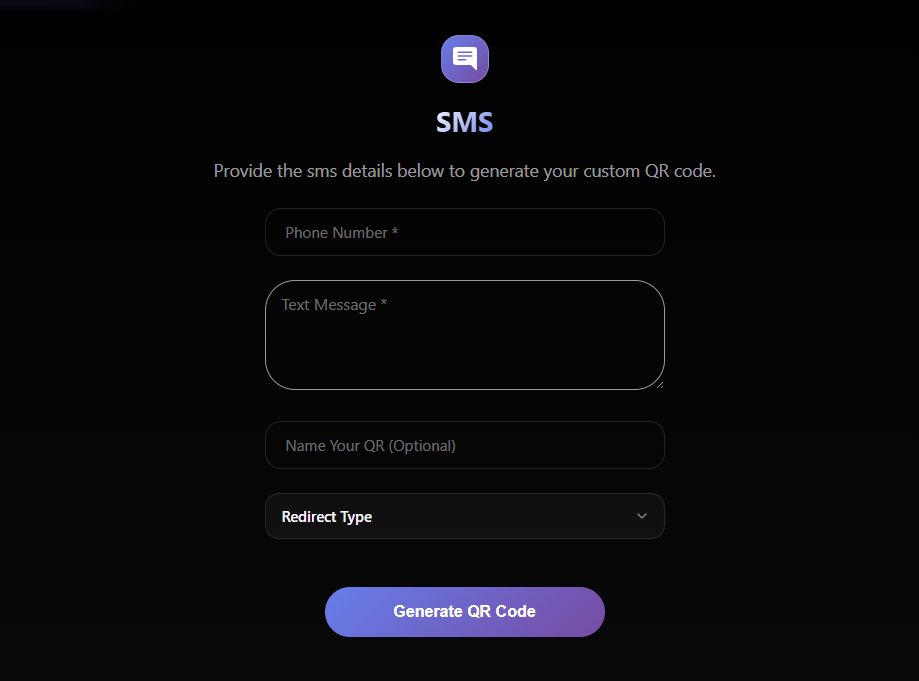
In the phone number field, type the number where you want customers to text:
✓ Use your actual business phone number
✓ Double-check the number is correct (a typo here ruins everything)
Step 3: Write a Simple Pre-Filled Message
This is the message that appears in the customer’s text field
When they scan.
Keep it short, clear, and action-focused:
| Use Case | Pre-Filled Message |
|---|---|
| Get help | SUPPORT |
| Join the email list | JOINCLUB or GETDEALS |
| Book an appointment | BOOKNOW |
| Request information | INFO |
| Customer feedback | FEEDBACK |
| Schedule service | APPOINTMENT |
Why short messages work: Customers see the message pre-filled. A simple word tells them exactly what happens next. They just tap send.
Step 4: Customize the Aesthetic Style
Most generators let you:
- Change colors to match your brand
- Add a border with a call-to-action label (“Scan to Text Us”)
- Customize the design elements
Important: Keep a high contrast between the code and the background. Test your phone camera to make sure it scans.
Step 5: Download & Test
Before printing anything:
- Open your phone camera
- Scan the preview code
- Verify it opens the SMS app with the correct number and message
Once confirmed, download in the right format:
- PNG – for digital use (emails, websites, social media)
- SVG/EPS – for printing (scales perfectly at any size)
4 Proven Ways to Use SMS QR Codes for Your Business
1. Grow Your Text Message List (Highest ROI)
The goal: Build your customer texting list without manual collection.
How to set it up:
- Create an SMS QR code with a pre-filled message: “JOINCLUB” or “GETDEALS”
- Print the code on
– Checkout receipts
– Cash register counters
– Menu boards
– Product packaging
– Business cards
– Product packaging
– Business cards
3. When customers scan and text the keyword, add them to your SMS list.
4. Send an immediate welcome message with a discount or offer.
Results: Text message marketing has a 98% open rate.
Each scan becomes a subscriber.
Best for: Retail stores, restaurants, salons, gyms, coffee shops.
2. Offer Instant Customer Support
The goal: Help customers without them having to search for
your number.
How to set it up:
- Create an SMS QR code with the message: “SUPPORT”
- Place it on:
– Product packaging and instructions
– Hotel room information cards
– Service counter signs
– Warranty cards
– Invoice or order documentation - When customers text, they get routed to your support team
- Tag incoming messages by location (if using multiple codes)
Results: Customers get help instantly. No phone tree, no hold
music, no lost calls.
Best for: E-commerce, hospitality, customer service teams,
tech support
4 Critical Rules for QR Code Design & Placement
Your QR code only works if customers can actually scan it.
Follow these 4 rules to ensure 100% scannability.
Rule 1: Keep High Contrast (Most Important)
What it means: Make sure your QR code stands out from
Its background.
Best practices:
- Black QR code on a white or light background
- Dark blue on light gray
- Dark green on white
- Black on dark gray (won’t scan in shadows)
- Pastel colors (too soft to read)
Why it matters: Phone cameras struggle with low contrast,
especially in dim lighting. Poor contrast is the #1 reason codes
fail to scan.
Test it: Take a photo in dim light and make sure the code
is still clearly visible.
Rule 2: Leave a White Border Around the Code
What it means: Don’t let your QR code touch text, images,
or design elements.
Best practices:
- Always leave at least 0.5 inches (1.3 cm) of empty white space
around all sides - This “quiet zone” helps phone cameras identify where the QR code starts and ends
- Never place a code right next to a photo or busy background pattern
Why it matters: Phone cameras need white space to recognize and lock onto the code.
Visual example: Think of it like a document margin—the code
Needs breathing room.
Quick Checklist Before Printing
Use this checklist before you print a single copy:
- QR code is at least 1×1 inch (2.5×2.5 cm)
- Code is significantly darker than the background
- White space surrounds the code on all sides
- Clear label is visible (“Scan to Text Us”)
- Tested scanning in dim lighting
- Tested on both iPhone and Android
- The message appeared correctly after scanning
Start Free, Scale Smart!
SMS QR codes are one of the fastest ways to reduce friction
between a curious customer and your business.
- 2 seconds to scan
- 1 tap to text
- Phone number and message already filled in
- Works on every smartphone
For small businesses, startups, agencies, and anyone looking to
boost customer engagement instantly, SMS QR codes are a proven game-changer.
Start Now: Your First SMS QR Code (Free)
Ready to generate your first code?
Time required: Less than 5 minutes
Cost: Completely free
What you’ll need:
- Your business phone number
- A simple message (1-2 words)
- Access to a QR code generator
Next Steps:
- Pick your use case (list, support, leads, or appointments)
- Choose a free QR generator (ScanMyQR)
- Follow the 5 steps outlined above
- Test on your phone before printing
- Print or share with confidence
That’s it. You’ve created a customer engagement tool that
works 24/7.
Ready to create your SMS QR code? Start now—it’s free and takes 5 minutes. Your customers are waiting to reach you.