
The Problem Every Salon Owner Faces
Your phone rings constantly. A client calls to reschedule. Another wants to know your pricing. A third needs to leave a Google review but can’t find your location on Google Maps. Meanwhile, you’re missing the opportunity to actually work with clients—the part of the business you genuinely love.
The reality? Salon owners spend too much time answering the phone and not enough time with clients.
This inefficiency doesn’t just frustrate you; it costs you money. Research shows that 72% of salon customers expect online booking options, yet most salons still rely on phone calls. Every missed opportunity is revenue walking out the door.
What if there was a simple, code-based solution that could handle bookings, reviews, pricing information, and portfolio showcasing all without you lifting a finger?
Welcome to the receptionist in a code: dynamic QR codes designed specifically for beauty and wellness businesses.
What Is a Dynamic QR Code for Salons?
A salon booking QR code isn’t just a static link. It’s a dynamic, data-driven tool that can:
- Direct clients to your appointment calendar for 24/7 booking
- Display your service and pricing menu instantly (as a PDF or interactive page)
- Collect Google reviews while clients are relaxed and happy
- Showcase your Instagram portfolio, so prospects see your work
- Process payments for deposits or full services
- Track every scan with analytics to measure which marketing channels work
Unlike generic QR codes, these are customizable, trackable, and purpose-built for the beauty industry.
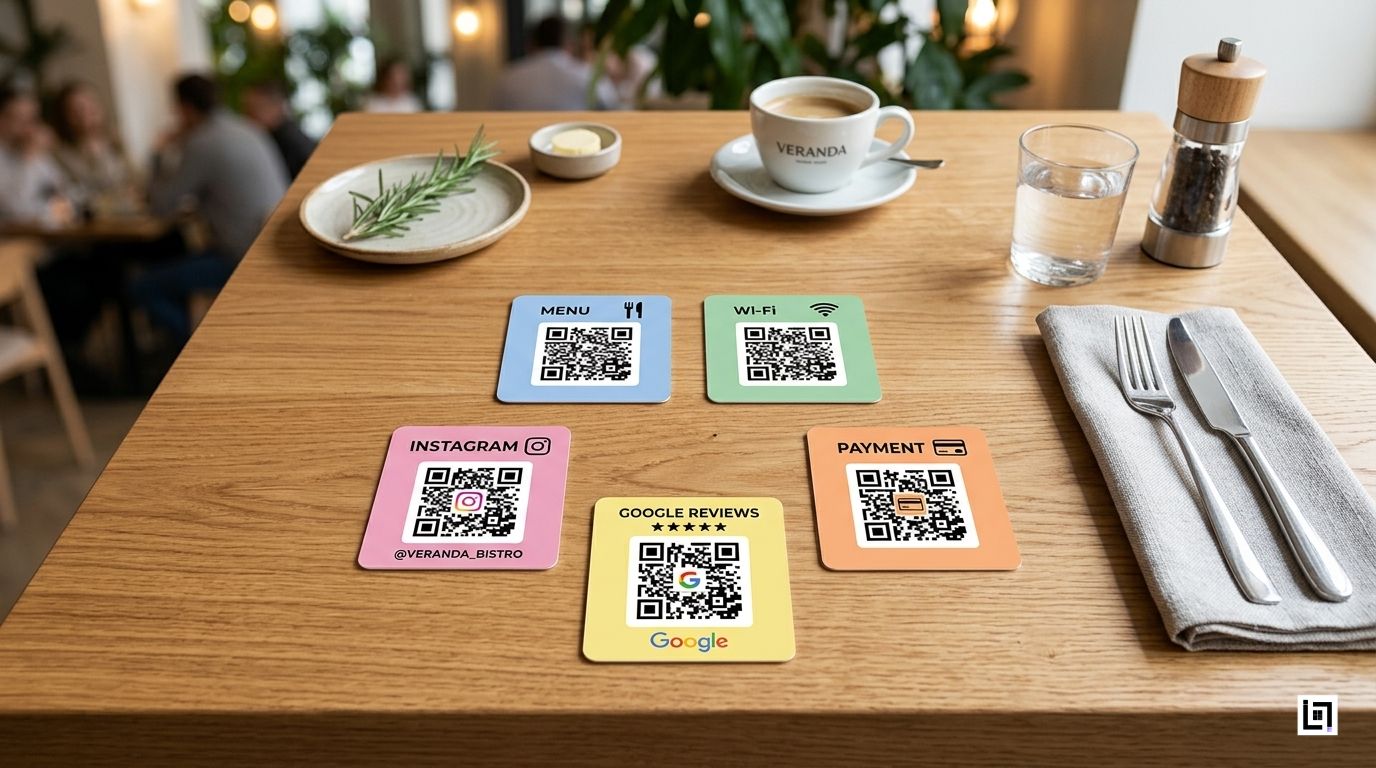
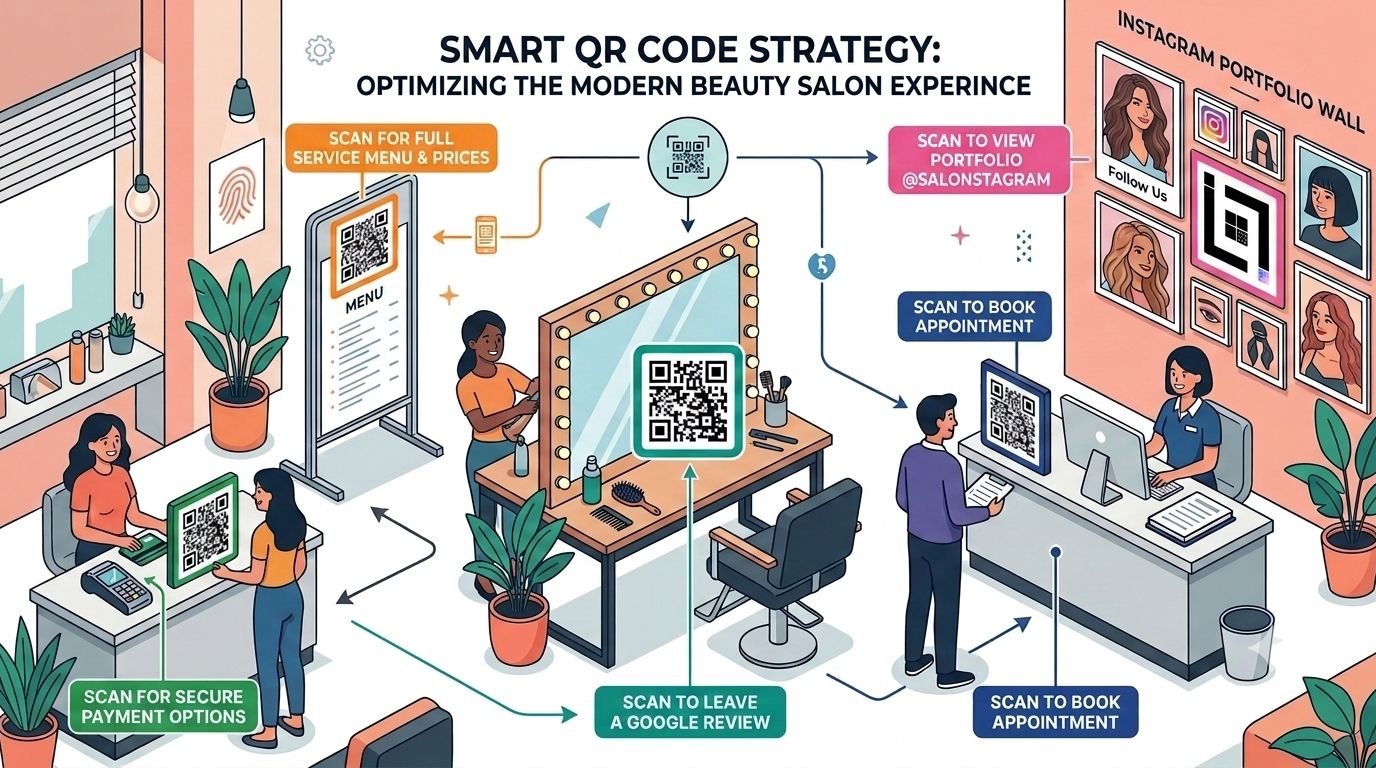
The 5 Essential QR Code Touchpoints for Your Salon
1. Schedule Appointment QR Code (At Your Storefront)
Location: Window display, business cards, flyers
What it does: Sends clients directly to your online calendar—even after hours.
Why it matters:
- Clients can book at midnight without calling you at 9 AM
- Reduces double-bookings and miscommunications
- Works for walk-ins curious about availability
- Particularly powerful for salons with extended hours or online-first models
SEO Benefit: Drives organic traffic to your booking page, signals “appointments available online” to search engines.
2. Spa Menu QR Code PDF (At Check-In Counter)
Location: Reception desk, service stations, appointment confirmations
What it does: Instantly displays your complete service menu, pricing, and duration as a professional PDF.
Why it matters:
- New clients don’t have to ask verbal questions
- Reduces staff interruptions
- Clients can review services before committing to a chair
- Upsell opportunities (clients see premium services they didn’t know existed)
Pro Tip: Update your PDF monthly with seasonal promotions. The QR code stays the same, but the destination updates dynamically.
3. Google Review QR for Salons (At Mirror Stations)
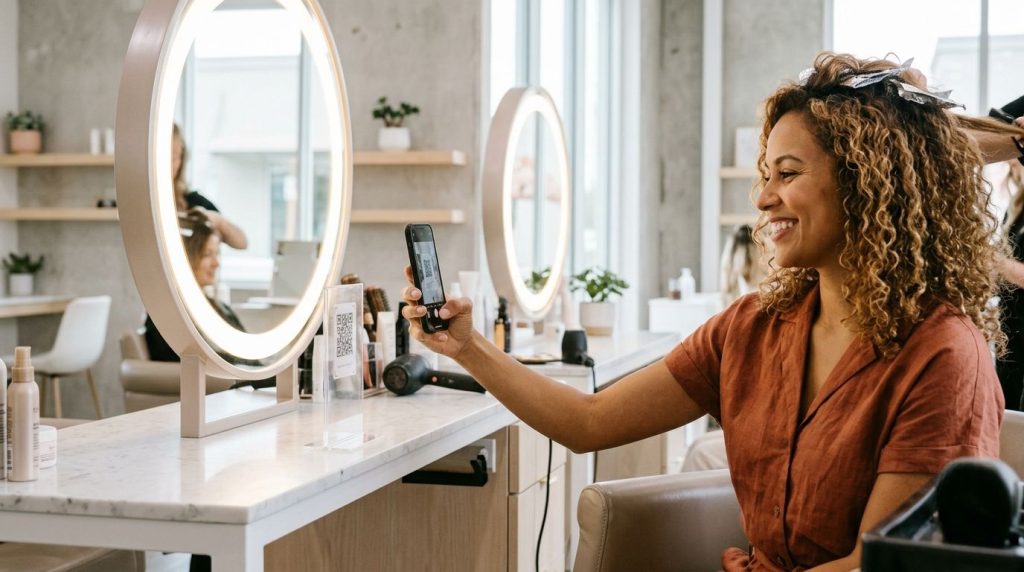
Location: Station mirrors, makeup areas, finishing stations
What it does: One scan takes clients directly to your Google Reviews page while they’re looking fabulous and feeling great about their service.
Why it matters:
- Timing is everything clients are most likely to leave reviews when they’re happy
- Increases review volume (average increase: 300-400% when placed at mirror stations)
- Google reviews directly impact your local search rankings
- Trust signals for new clients searching for “salons near me”
4. Instagram Portfolio QR Code (At Waiting Area)
Location: Reception area, waiting chairs, appointment reminders
What it does: Lets clients scroll through your recent work while they wait for their appointment to start.
Why it matters:
- Keeps clients entertained and engaged
- Increases Instagram followers organically
- Creates social proof (more followers = more trust)
- Encourages clients to tag and share your salon on their own posts
Strategic Insight: Clients waiting 10-15 minutes will often follow you, save images, and share your work. That’s organic marketing you don’t have to pay for.
5. Beauty Salon Payment QR (At Checkout)
Location: Billing counter, invoice receipts, service cards
What it does: Enables contactless, secure payments through Razorpay, PayU, or your preferred processor.
Why it matters:
- Faster checkout (no cash handling, no card reader waiting)
- Secure and PCI-compliant
- Clients can deposit for future appointments
- Creates a record for accounting and GST compliance
How to Set Up Your Salon QR Code System: Step-by-Step
Step 1: Choose Your QR Code Platform (ScanMyQR or Similar)
What to look for:
- Dynamic QR codes (not static—they let you update destinations without reprinting)
- Detailed analytics dashboard
- Customization options (add your logo, brand colors)
- Integration with calendars (Google, Calendly, Acuity Scheduling)
- Support for multiple file types (PDFs, URLs, VCards, SVG)
Recommended Setup Time: 30 minutes
Step 2: Create Your QR Codes (One for Each Purpose)
Do this:
- Booking QR:
- Generate URL: Your online calendar link (Calendly, Acuity, or Google Calendar)
- Customize: Add salon logo in the center
- Name it: “Appointment_Booking_QR”
- Menu QR:
- Upload your service menu PDF (include prices, durations, therapist specialties)
- Customize with salon colors
- Name it: “Service_Menu_QR”
- Google Review QR:
- Get your Google Business Profile review link
- Generate QR code
- Customize and name: “Google_Review_QR”
- Instagram QR:
- Use Instagram’s built-in QR code feature or platform-generated code
- Customize with salon branding
- Name it: “Instagram_Portfolio_QR”
- Payment QR:
- Generate through your payment processor
- Customize with salon name
- Name it: “Payment_QR”
Pro Tip: Keep a spreadsheet tracking all QR code names, links, and placement locations. This helps you manage updates and troubleshoot scanning issues.
Step 3: Place QR Codes Strategically
Booking QR Code Placement:
- Window display (largest, most visible)
- Business cards (for appointment reminders)
- Flyers and local advertisements
- Email signatures
Menu QR Placement:
- Reception counter (eye level)
- Each service station
- Appointment confirmation emails
- SMS reminders to returning clients
Review QR Placement:
- Behind mirror stations (the golden location—clients are in the best mood here)
- Billing counter
- Exit area (clients can scan on their way out)
- Follow-up thank-you cards
Instagram Portfolio Placement:
- Waiting area seating (kills boredom)
- Above service stations
- Printed portfolio books (alongside traditional photos)
Payment QR Placement:
- Checkout counter
- Service invoices
- Receipt printouts
- Appointment reminder cards
Step 4: Train Your Staff
What to teach:
- Where each QR code is and what it does
- How to explain QR codes to clients (“Scan here to book your next appointment”)
- When to suggest scanning (e.g., “While we finish your nails, why not follow us on Instagram?”)
- How to troubleshoot common issues (bad WiFi, camera focus)
Step 5: Monitor Analytics (The Profit Part)
This is where Salon booking QR Code analytics becomes your superpower.
Open your ScanMyQR dashboard and track:
Scan Volume by Location
Which mirror station gets the most review scans?
Does your window QR or printed flyer get more traffic?
Answer: Focus marketing spend on the highest-performing channel
Time-Based Insights
Peak booking times (e.g., Mondays 6-8 PM)
Seasonal trends (e.g., bridal season bookings spike in October)
Action: Schedule extra staff during peak periods
Conversion Tracking
How many people scan vs. actually book?
Calculate your “booking conversion rate”
Example: 200 scans → 40 bookings = 20% conversion rate
Device & Browser Data
Are users scanning on iPhone or Android?
Are they mobile or desktop?
Action: Optimize your calendar for the dominant device type
Marketing ROI Measurement
Place different QR codes on different marketing materials
Track which brings the most bookings
Example: “Window display QR brought 3x more bookings than local magazine ad”
Conclusion: Invest more in storefront visibility, reduce magazine ad spend
The ScanMyQR Value: Analytics Dashboard for Salon Marketing ROI
Here’s the game-changer:
Imagine you spend ₹5,000 on a beautiful printed flyer with a QR code. You also spend ₹5,000 on a local magazine advertisement with a different QR code.
With traditional marketing, you’d guess which one worked better. With dynamic QR for beauty parlor analytics:
| Channel | Scans | Bookings | Booking Rate | Cost per Booking |
|---|---|---|---|---|
| Printed Flyer | 340 | 68 | 20% | ₹74 |
| Magazine Ad | 210 | 21 | 10% | ₹238 |
Decision: Flyers are 3x more effective. Next month, print 3,000 flyers instead of buying another magazine ad.
This is actual data-driven decision making—not guesswork.
Other metrics ScanMyQR provides:
- Geolocation tracking: See where your highest-converting clients come from
- Repeat scans: Identify loyal clients who scan multiple times
- Bounce rates: If your booking page has a 70% bounce rate, your UX needs work
- A/B testing: Create two versions of a QR code destination and see which converts better
- Custom reports: Export data for board meetings or financial planning
Real-World Example: How One Salon Increased Bookings 250%
The Business: Elite Unisex Salon, Ahmedabad (60-seat operation, 40+ staff)
The Challenge:
- Receptionist was answering 80+ calls per day
- Clients complained about wait times to book
- Google reviews stalled at 3.2 stars (clients couldn’t find the review option)
- Social media wasn’t growing
The Solution (Salon Booking QR Code System):
- Placed booking QR on storefront (large, professional)
- Placed review QR at each of the 15 mirror stations
- Added Instagram portfolio QR to waiting area
- Integrated menu QR with digital pricing updates
- Set up a payment QR for deposits
Results (After 90 Days):
- Bookings: Up 250% (phone-based + online combined)
- Google Reviews: From 3.2 to 4.6 stars (118 new reviews)
- Instagram Followers: From 1,200 to 4,800
- Receptionist Time: Freed up 30 hours/week (hired one fewer staff, redirected person to client-facing roles)
- Average Transaction Value: Up 18% (menu QR + upselling worked)
Analytics Insight: Review QR at mirror stations converted 35% of clients, vs. 8% who organically left reviews before.
Why Touchless Salon Booking QR Code Matters Now
The post-pandemic consumer has changed. Clients now expect:
- Contactless interactions – QR codes eliminate paper forms and face-to-face interactions
- 24/7 access – Book at 2 AM for a 10 AM appointment
- Fast checkout – Payment QR instead of waiting for card processing
- Hygiene – No shared tablets or keypads
- Convenience – One scan instead of a 10-minute phone call
Salons without QR booking are losing younger clients (Gen Z and millennials expect this as standard).
Common Mistakes to Avoid
| Mistake | Why It Hurts | Solution |
|---|---|---|
| Static QR codes | Can’t update destination; must reprint if link changes | Use dynamic QR codes only |
| Poor placement | Clients never see the QR code | Place booking QR at eye level on storefront; review QR at mirror stations |
| No staff training | Staff don’t promote QR codes; clients don’t know they exist | Train the team on why and when to suggest scanning |
| Ugly, low-contrast QR codes | 40% of users can’t scan due to poor design | Use branded QR codes with adequate contrast; test with multiple phones |
| Broken links | QR code goes to 404 error; clients get frustrated | Test all QR codes weekly; monitor broken links in analytics |
| No analytics monitoring | You can’t measure ROI or optimize placement | Check the ScanMyQR dashboard daily; export reports monthly |
| Too many QR codes | Clients are confused about which to scan | Limit to 5-6 codes; clear signage explaining each |
Getting Started: Your 7-Day Action Plan for Salon Booking QR Code Preparation
Day 1: Choose ScanMyQR or a similar platform; sign up
Day 2: Create 5 QR codes (booking, menu, review, Instagram, payment)
Day 3: Design custom QR codes with salon branding
Day 4: Print high-quality codes; place at all locations
Day 5: Train staff on locations and promotion
Day 6: Monitor first scans; troubleshoot any issues
Day 7: Check analytics dashboard; plan optimization for next month
The Future of Salon Operations Is Here!
Salon owners no longer need to choose between client time and administrative work. Dynamic QR codes for beauty parlors automate the friction points that waste your day:
- Bookings happen 24/7 without staff involvement
- Clients leave reviews when they’re happiest (at the mirror station)
- Pricing and menu questions are answered instantly
- Portfolio showcase drives Instagram growth
- Payments are contactless and secure
- You get real data to optimize your marketing
The salons that implement this now are gaining a competitive advantage. Clients choose salons that respect their time and offer convenience. QR-enabled salons deliver exactly that.
Ready to become the tech-forward salon that clients rave about? Start with your storefront booking QR this week. Add review QRs at mirror stations next week. Monitor analytics religiously.
Your future self—the one with less phone work and more client time will thank you.